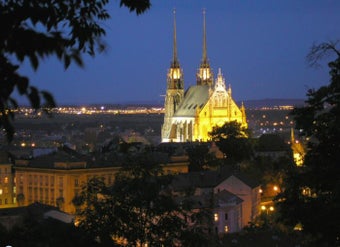
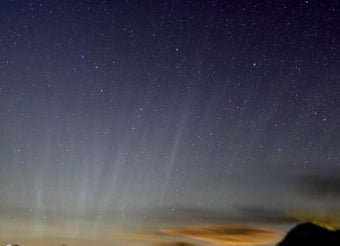
After using the same wallpaper for months, don't you feel it's time for a change? Don't worry if you don't have any suitable images, Strayk takes care of everything.
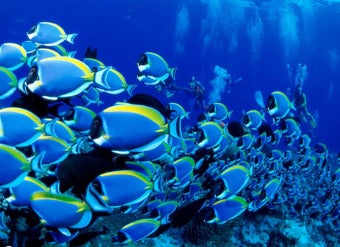
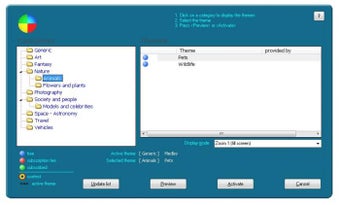
This easy tool presents you with a wide collection of wallpapers you can download and use for free, thus updating your desktop background with a fresh, brand new wallpaper every single day. The program covers quite a varied selection of topics, from nature images to space and astronomy, models and celebrities, travel, art and fantasy.
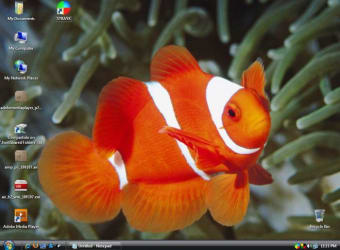
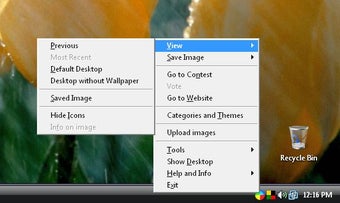
Strayk puts an icon on the system tray, from which you can access the program's main functions. Besides downloading new images and use them as wallpapers, you can save them in a folder on the hard drive for your own collection and also use them as screensaver.
However, I found this program to have what I consider a major flaw: images can only be downloaded on a daily basis or on Windows startup, and not updated any time you want. So if you want to refresh your wallpaper, you either wait until the next day – or restart your PC.
With Strayk you'll be able to enjoy a different wallpaper in your desktop background and also use them as a screensaver, but you won't be able to download more than one a day.
Pros
Many wallpapers available, conveniently organized into categories
You can save images right to your hard drive
Build a screensaver with downloaded photos
Cons
Only downloads one wallpaper a day, or on Windows startup
STRAYK is a software which replaces the wallpaper of your desktop on a daily basis, automatically, according to your theme preferences. The wallpapers will be downloaded from the Strayk.com server where thousands of high quality images are stored. There are a growing number of themes available, most of them free of charge.
Special themes
Some themes are linked to a contest, others are available only after payment of a small subscription fee (usally provided by external authors/photographers who publish their creations of special interest).
Updating the wallpaper
The wallpaper will update when starting the computer or, if the computer is continuously operative, shortly after midnight.
Sizing of the wallpaper
The images will be delivered according to the screen dimensions. However, images have fixed proportions and may not always fit the screen. Changing the display mode may improve the appearance.
Saving the images
All images can be saved after download in a custom folder, automatically or manually one by one.
Screensaver
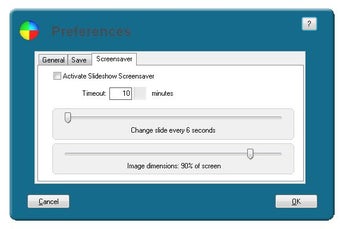
Optionally, a screensaver can be activated which shows all the saved images in a slide show.
Registration
Registration is optional. Only before participating for the first time in a contest, you will have to register to get your user number (serial number).
Laws concerning the use of this software vary from country to country. We do not encourage or condone the use of this program if it is in violation of these laws. Softonic may receive a referral fee if you click or buy any of the products featured here.